

Introduction
For Directors and Finance Managers of UK SMEs, payroll goes far beyond paying staff. It involves RTI (Real Time Information) submissions, pension auto-enrolment compliance, statutory calculations, and data security. The decision to outsource payroll stems from a need to reduce risk, not just save time.
The market is crowded. You’ll find large, automated bureaus and small accountancy firms. Service quality varies widely. I’ve seen businesses fined by HMRC because their “low-cost” provider missed an FPS (Full Payment Submission) deadline or got holiday pay wrong.
Choosing a payroll outsourcing provider is strategic. You need to look beyond the price per pay slip. Check their internal controls, disaster recovery plans, and compliance knowledge. This guide uses years of payroll experience to give you a practical framework. It helps you select a partner that protects your business and your employees.
What Does Payroll Outsourcing Cover (And What Doesn’t It Cover)?
One common problem during onboarding is confusion about scope. Payroll outsourcing isn’t “fire and forget.” It’s a team effort with clear lines of responsibility.
What Core Payroll Services Include
A standard managed service covers gross-to-net pay calculation, tax code processing (P9 notices), NI deductions, student loans, and Court Orders (AEOs). It includes creating the BACS file for payment and generating pay slips and P45s.
What Are the Responsibilities: Employer vs. Provider?
Let me clear up a big misconception. Outsourcing payroll doesn’t mean outsourcing legal liability. If there’s a PAYE shortfall or late RTI filing, HMRC comes to you, not your provider.
Think of this as a “data-in, data-out” partnership. Your role is to provide the raw data. If you miss the deadline with overtime spreadsheets, forget to flag a new starter’s P45, or don’t report unpaid leave, the provider can’t guess those figures. You sign off on the final payroll register. This confirms the data is correct.
The provider handles technical work. They take your data and apply UK legislation. They calculate NI categories, student loan deductions, and statutory pay rates. They’re responsible for the process: making sure calculations are correct, and the RTI feed reaches HMRC’s servers before payday.
Who Submits HMRC Payroll?
In a fully managed service, the payroll provider acts as your PAYE agent. They submit the FPS (Full Payment Submission) and EPS (Employer Payment Submission) for you. But they can only do this after you sign off on the figures. If you delay approval past pay date, the submission becomes late. This triggers potential HMRC flags.
What UK Payroll Compliance Essentials Must You Understand?
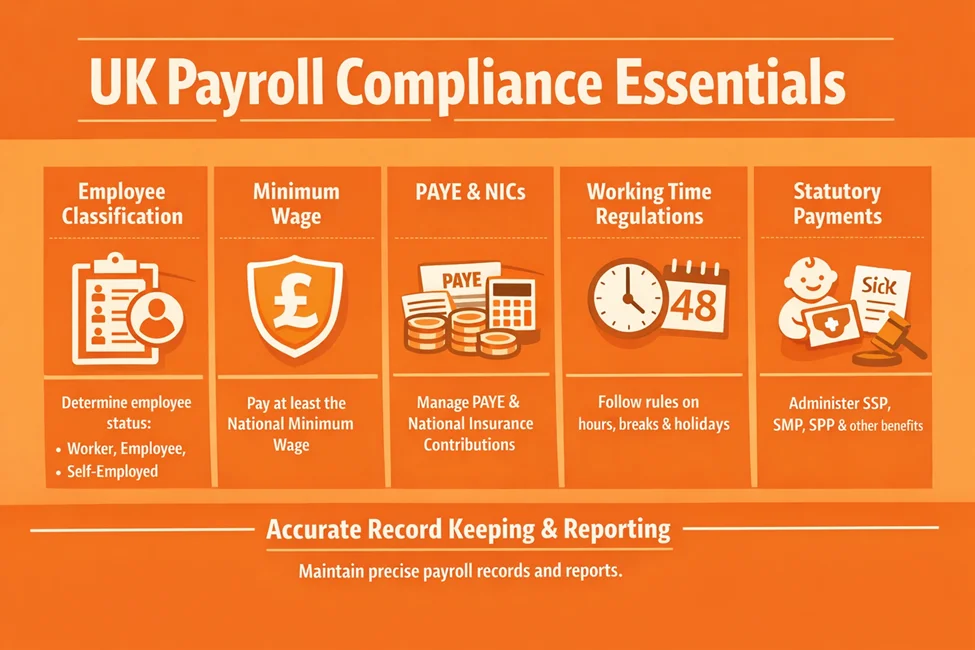
Before interviewing vendors, understand the rules they follow. If a provider can’t explain these concepts clearly, walk away.
What Are RTI Submissions and HMRC Reporting?
Real Time Information (RTI) means reporting pay and deductions to HMRC on or before you pay employees. This is required. A strong provider will have automated controls. These ensure the FPS is generated immediately when payroll is finalised.
What About PAYE, Pensions, and Statutory Payments?
Pension management and statutory pay are where “DIY” payroll usually fails. It’s not just about money. It’s about constant admin from UK legislation.
How Does Auto-Enrolment Work?
Auto-enrolment isn’t “set and forget.” Every time you run payroll, your provider must assess your workforce. They spot when a staff member hits the age or earnings threshold that makes them an “Eligible Jobholder.”
A good provider handles this work: managing opt-in and opt-out requests, sending legally required employee letters, and uploading contribution files to platforms like NEST or The People’s Pension. If they miss a filing, you deal with the Pensions Regulator.
How Do You Calculate Statutory Payments?
Calculating SSP (Sick Pay) or SMP (Maternity Pay) gives finance managers headaches. Rules around “Average Weekly Earnings” and qualifying days are tricky.
Your provider needs skill here. They must get the employee’s pay right and know how to recover that money for your business. They should reclaim every penny of recoverable statutory pay from HMRC by submitting an Employer Payment Summary (EPS). If they don’t do this, you’re leaving company cash behind.
What Are the Compliance Risks When You Outsource Payroll?
Common risks involve worker misclassification (IR35 and CIS status) and failure to apply National Minimum Wage uplifts for different age groups. A competent provider acts as a second defence. They flag data that looks compliant but might breach NMW rules due to salary sacrifice schemes or uniform deductions.
How Much Does Payroll Outsourcing Cost in the UK?
Budgeting for payroll outsourcing cost UK requires looking at total ownership cost, not just the headline rate.
What Is Payroll Cost Per Employee UK?
In the current market, pricing falls into these bands:
£4.00 – £6.00 per payslip: Basic processing for larger volumes (100+ employees), often remote-only support.
£6.00 – £12.00 per payslip: Fully managed service for SMEs (10-100 employees). Includes pension management and dedicated account management.
£12.00+ per payslip: Specialist payroll (Expat, complex CIS, or rapid-turnaround weekly payrolls).
What Are the Pricing Models?
Per payslip: The most common model. You only pay for active employees in that period.
Fixed monthly fee: Common for very small businesses (1-5 directors).
Implementation fees: Expect a one-off charge (usually equivalent to one month’s fees) to cover data migration and parallel run testing.
What’s Usually Included vs. Excluded?
Standard fees cover the run and RTI submission. They rarely cover year-end filings (P60s), P11D (Benefits in Kind) reporting, or complex historical corrections.
What Hidden Fees and Cost Traps Should You Watch For?
When doing a UK payroll provider cost comparison, check the “Additional Services” rate card carefully. This is where costs often grow.
What Are Common Hidden Fees Charged by Providers?
Re-runs: If you make a mistake on the data (forgot overtime payment) and ask for a re-run after the first draft, providers charge an admin fee. Often £50-£100 per run.
New starters/leavers: Some providers charge extra for processing a P45 or setting up a new employee record.
Pension file uploads: While calculation is usually included, manually uploading the CSV to the pension provider’s portal often costs extra unless they have API integration.
Historical data access: If you leave the provider, do they charge for providing a backup of your historical data? (They shouldn’t, but some do.)
How Do You Identify Hidden Fees During Vendor Evaluation?
Ask for a “fully loaded” quote based on your last 12 months of activity. Include all starters, leavers, and year-end requirements to get a true comparison.
What Is the 10-Point Payroll Outsourcing Provider Checklist (UK)?
This checklist helps you conduct a payroll provider due diligence checklist that goes deeper than a sales brochure.
1. What Scope of Services and Payroll Frequency Options Do They Offer?
Does the provider support your specific schedule? While monthly is standard, sectors like hospitality and construction often need weekly or fortnightly payroll frequency options in the UK. Make sure they can handle multiple pay frequencies within a single PAYE scheme if needed.
2. What Is Their HMRC Compliance and RTI Expertise?
Ask specifically: “What is your process if an RTI submission fails?” The right answer includes immediate investigation, correction, and resubmission, plus a communication log explaining the error code. They should handle tax code notices (P6, P9) automatically via the HMRC Data Provisioning Service (DPS).
3. How Do You Conduct Payroll Provider Due Diligence?
Verify their credentials. Are they CIPP (Chartered Institute of Payroll Professionals) accredited? Do they hold ISO 9001 (Quality Management) or ISO 27001 (Information Security) certifications? These badges matter. They show standardised processes.
4. What Audit Trails and Payroll Accuracy Controls Do They Have?
You need a payroll provider audit trail. Every change to employee master data (bank details, salary) must be logged with a timestamp and user ID. Ask to see a sample “variance report.” This highlights differences between the current and the previous month’s pay.
5. How Do They Handle Data Security and GDPR Compliance?
Payroll data is valuable for identity theft. How do you send data? If they say “email an Excel sheet,” walk away. Modern providers use secure, encrypted portals or SFTP servers. Ask where their servers are located. Data should stay within the UK/EEA to simplify GDPR compliance.
6. What Payroll Technology and Integrations Do They Support?
Can they import data directly from your HR or Time & Attendance system (BambooHR, Deputy)? Manual re-keying of data is the number one cause of payroll errors. API integration is the gold standard.
7. How Transparent Is Their Pricing and Cost Comparison?
Make sure the contract clearly defines “standard support” versus “billable consultancy.” Look for caps on price increases (tied to CPI, for example).
8. What Support, Communication, and Service Levels Do They Provide?
Will you have a dedicated account manager or a generic helpdesk email? In payroll, continuity matters. You want a contact who knows your CEO has a complex car allowance, not a fresh ticket handler every month.
9. What CIS Payroll Support Do They Offer (UK Construction Businesses)?
For construction firms, CIS payroll support UK is critical. The provider must verify subcontractors with HMRC, apply correct deduction rates (20% or 30%), and submit the monthly CIS300 return. Failure here leads to removal of Gross Payment Status. This can destroy a construction business.
10. How Scalable Are They for Long-Term Fit?
If you plan to double your headcount, can the provider handle it? Ask about their largest client. You don’t want to be the biggest fish in their pond. You might outgrow their capacity.
How Do You Switch Payroll Providers: Process, Timeline, and Risks?
Many businesses delay switching payroll providers in the UK due to fear of disruption. But with a structured approach, the risk is minimal.
What Is the Payroll Provider Switch Timeline?
A typical migration takes 6 to 12 weeks, depending on complexity.
Weeks 1-2: Data extraction and requirements gathering.
Weeks 3-6: System setup and parallel runs.
Week 7: Go-live.
How Do You Avoid Disruption During Transition?
The “Parallel Run” is the most critical phase. The new provider runs payroll using last month’s data. Results are compared to the penny against the old provider’s output. This validates that tax codes, year-to-date figures, and pension calculations are identical.
What Is the Payroll Onboarding Timeline UK?
Switch at the start of the tax year (April 6th) to avoid merging year-to-date figures. But a mid-year switch works fine if the “P11” data (taxable pay and tax paid to date) is imported correctly.
What Are Payroll Outsourcing Risks and How Do You Reduce Them?
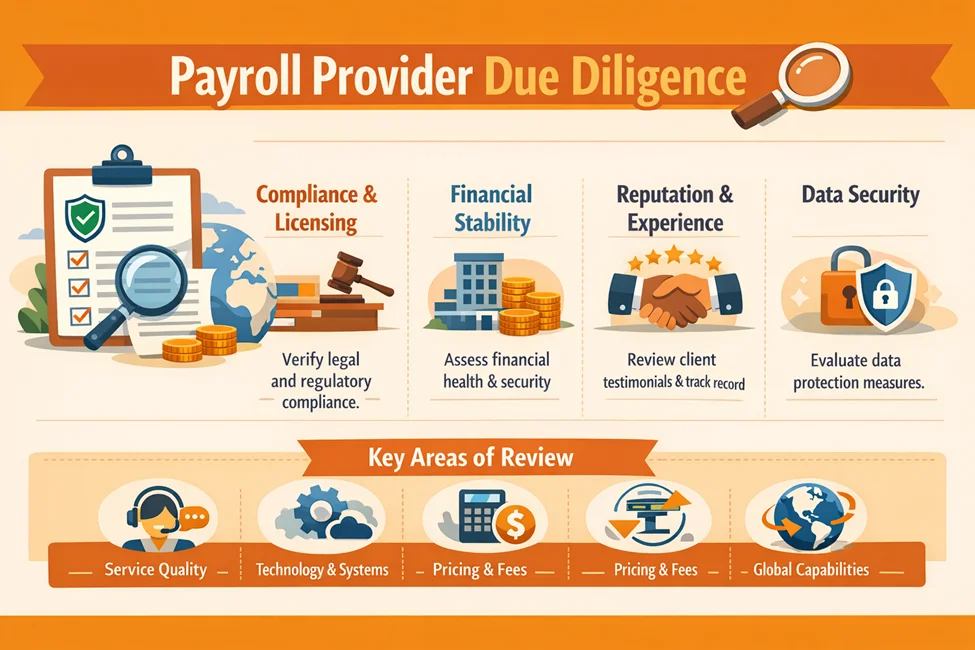
What Are Common Payroll Outsourcing Risks?
Data breach: Sensitive data being intercepted.
Loss of control: Not knowing payroll run status until the last minute.
Dependency: Losing internal knowledge of how company pay structures work.
How Do You Reduce Risk Through Due Diligence?
SLA (Service Level Agreement): Define penalties for late delivery or errors.
Business continuity: Ask the provider, “What happens if your office burns down?” They should have a cloud-based recovery plan.
Segregation of duties: The person entering data should not be the person approving the BACS file.
Should You Choose a Payroll Provider Local vs. Remote Providers?
Search intent often leans toward “payroll providers near me.” But does geography matter?
What Is the Local vs. Remote Comparison?
Local: Helpful if you value face-to-face quarterly reviews or have physical documents to hand over (though this is rare now).
Remote/national: Often offers better technology, deeper compliance teams, and lower costs due to economies of scale.
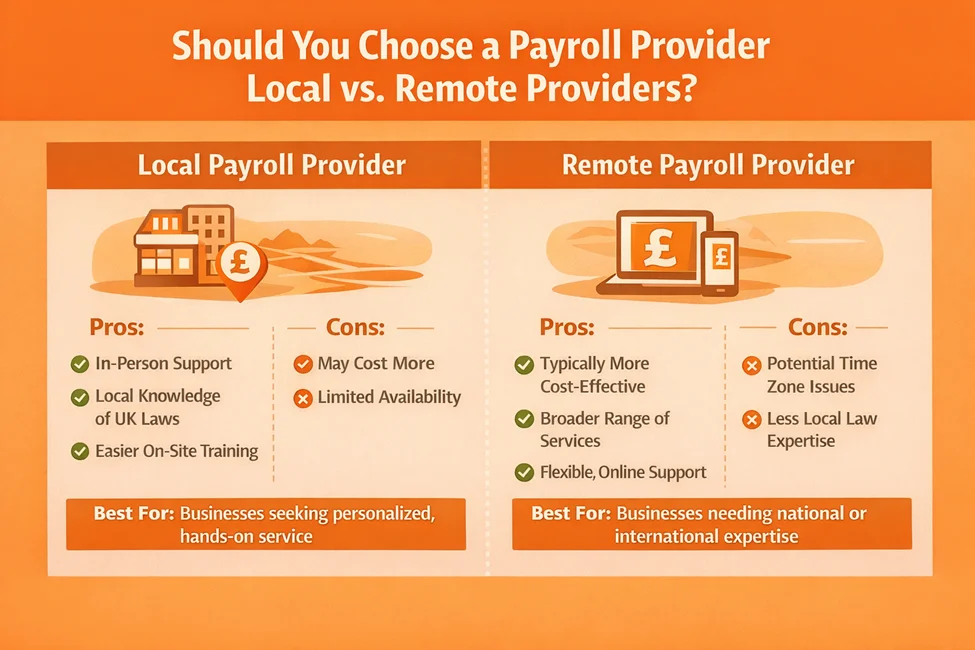
When Does Proximity Matter and When Doesn’t It?
Competence beats proximity. A specialist remote provider with a secure portal is safer than a local generalist using email.
What Payroll Outsourcing Documents Will You Need?
To onboard a provider, prepare these payroll outsourcing required documents:
Employee data: Full name, DOB, NI Number, Address, Start Date.
Tax data: Current Tax Code, Previous Pay, Previous Tax (P45 or Starter Checklist info).
YTD figures: If switching mid-year, the P11 deductions worksheet for every employee.
Pension info: Scheme name, ECON/SCON numbers, contribution rates, and staging date.
HMRC credentials: Accounts Office Reference and PAYE Reference number for RTI authorisation.
Case Study: How Do You Resolve a CIS Compliance Crisis?
What Was the Challenge?
A mid-sized construction firm in Birmingham (50+ subcontractors) came to us after receiving repeated penalty notices from HMRC. Their previous local accountant was manually processing CIS deductions via spreadsheets. This led to calculation errors and missed CIS300 returns. They were terrified of losing their Gross Payment Status.
How Did Eco Outsourcing Help?
We immediately ran a forensic audit of the previous tax year’s submissions. We found that the verification process for new subcontractors was being skipped.
System migration: We moved them to a cloud platform with direct CIS verification capabilities.
Correction: We resubmitted the wrong CIS300 returns and talked directly with HMRC to negotiate a suspension of penalties based on the corrective action taken.
Process: We set up a “Verify First, Pay Second” workflow.
What Did the Client Say?
“We didn’t realise how exposed we were until Eco Outsourcing audited our books. They didn’t just run the payroll. They fixed a mess that could have cost us our main contracts. The switch was seamless. For the first time in years, I don’t dread the monthly HMRC deadline.”
— David H., Managing Director, Birmingham Construction Ltd
How Can Eco Outsourcing Help?
At Eco Outsourcing, we know that payroll is the engine room of your business. Our approach is built on the belief that compliance should be invisible but perfect.
What Is Our UK-Focused Payroll Outsourcing Approach?
We don’t just process numbers. We act as your compliance shield. Whether you’re a growing SME or a CIS-heavy construction firm, our workflows catch errors before they become HMRC statistics. We work strictly within UK time zones and rules. Learn more about our UK payroll management services.
How Do We Handle Compliance-First Payroll Management?
Our team includes CIPP-qualified professionals who understand UK legislation nuances. From managing complex pension salary sacrifice schemes to meeting RTI deadlines with precision, we handle the heavy lifting. We treat your compliance obligations as our own.
What About Our Transparent Pricing and Secure Systems?
We believe in clarity. Our pricing structure has no hidden traps. You will always know your costs upfront. Our client portal uses bank-grade encryption. Your employee data remains safe, secure, and fully GDPR compliant. As part of our business process outsourcing services, we maintain the highest security standards.
Conclusion
Outsourcing your payroll is about more than reclaiming admin time. It’s about securing peace of mind. The right partner acts as an extension of your finance team: proactive, knowledgeable, and accountable. By following the 10-point vendor checklist and doing rigorous due diligence, you can filter out the noise. Find a payroll outsourcing provider that not only pays your staff accurately but also strengthens your business’s operational resilience.
Don’t rush the decision. Ask hard questions about compliance. Demand transparency on costs. Choose a partner who values your data as much as you do. Contact us to discuss your payroll needs.
FAQs
A strong checklist should cover: Scope of Services, HMRC/RTI Compliance, Provider Accreditations, Audit Trails, Data Security (GDPR), Technology/Integration capabilities, Pricing transparency, Support levels (SLAs), Sector-specific needs (like CIS), and Scalability.
Costs typically range from £4 to £12 per employee per month. Basic processing is at the lower end. Fully managed services, including pension administration and dedicated support, sit at the higher end. Setup fees usually apply.
A safe timeline is 1 to 3 months. This allows time for data extraction, system configuration, and a “parallel run.” Both old and new providers run payroll at the same time to make sure figures match exactly before going live.
The payroll provider (acting as your agent) physically submits the RTI (FPS/EPS) data. But the legal responsibility for accuracy and timeliness of that data stays with you, the employer.
You need employee master data (names, NI numbers, DOB), year-to-date (YTD) figures if switching mid-year, pension scheme details (EPR/PSR numbers), and your HMRC PAYE reference numbers.
Ask for their ISO 27001 certification. Check if they use secure portals (MFA enabled) rather than email for data transfer. Ask where their servers are located (UK/EU presidency is preferred).
Contracts should define turnaround times (e.g., “Draft payroll within 48 hours of data receipt”), accuracy rates (e.g., 99.9%), and response times for queries. Penalty terms often include service credits for missed deadlines or critical errors.
Most providers handle workforce assessment each period, generate letters for employees (enrolment/postponement), and create the upload file for the pension provider. Some offer end-to-end management where they upload the file for you.
Watch for charges related to: Re-runs (correcting employer errors), P60/P11D production, new starter setups, historical data access requests, and duplicate payslip requests.
Ask if they have an open API or pre-built connectors for your HR or Time & Attendance software. If they rely on CSV imports, ask how they validate data before processing to prevent formatting errors.
Check for CIPP accreditation. Review their financial stability (Companies House check). Ask for client references in your industry. Verify their disaster recovery procedures.
The top risks are late RTI submissions, incorrect application of National Minimum Wage (especially with salary sacrifice), misclassification of CIS subcontractors, and failure to apply statutory tax code changes (P9s).
Make sure your contract states that upon termination, you will receive all data in a usable, open format (CSV/Excel) promptly and without punitive “exit fees.”
Providers should use “Variance Reporting” (comparing this month vs. last month), have a secondary checker approve all calculations, and maintain a digital log of every user action within the payroll software.